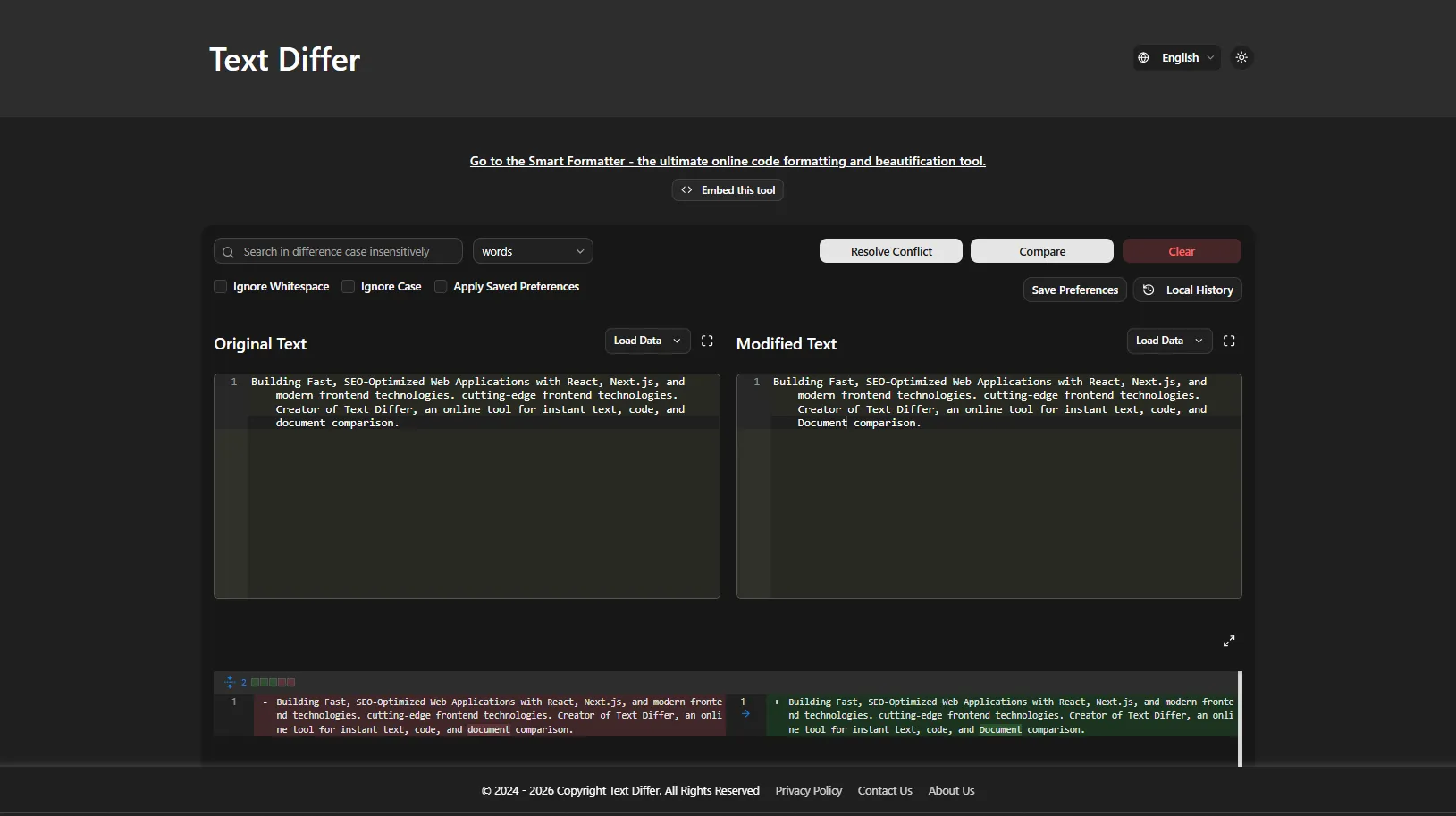
In the fast-paced world of content creation, editing, and digital marketing, accuracy is everything. Whether you're a blogger refining a draft, an SEO professional tracking content updates, a developer debugging code, or a student checking for accidental duplication, comparing two versions of text can be tedious and error-prone. Text Differ solves this problem instantly, giving you a clear, color-coded side-by-side comparison of any two text inputs—all within your browser.
What is Text Differ?
Text Differ is a free, browser-based text comparison tool that highlights additions, deletions, and modifications in real-time. It processes everything locally in your browser—meaning your text never leaves your device, ensuring complete privacy and security. No sign-ups, no downloads, no hidden costs.
Key Fe
atures That Make Text Differ Essential
Flexible Comparison Modes
Text Differ offers three comparison modes to suit different needs:
-
Character-by-character: Pinpoint exact changes within lines—ideal for spotting typos
-
Word-by-word: Track semantic modifications in articles and prose
-
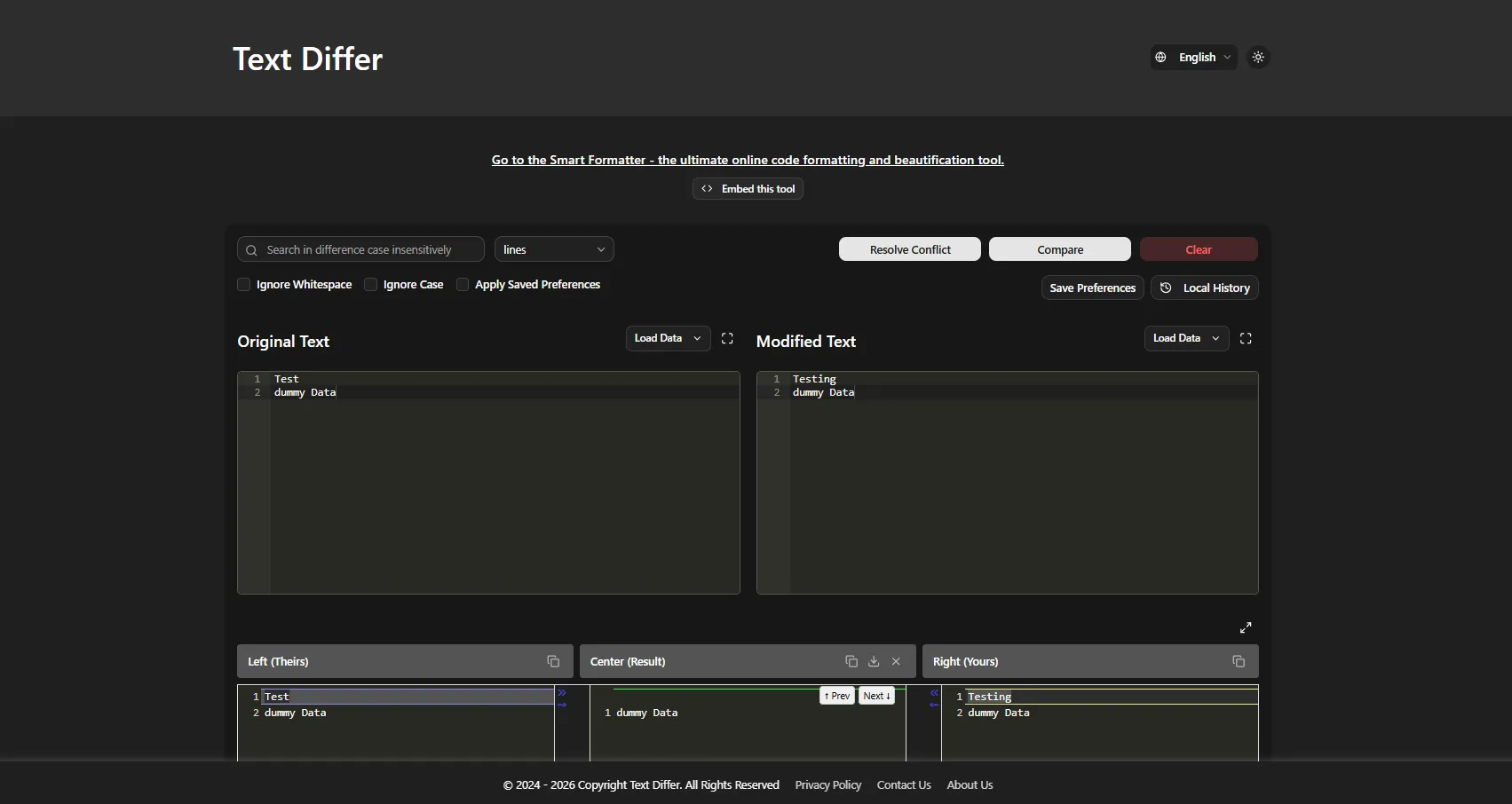
Line-by-line: Review structural differences in code and structured documents
Side-by-Side and Unified Views
Compare texts in parallel columns or a single unified view—perfect for editors, writers, and developers who need to see exactly what changed.
Smart Ignore Options
Focus on meaningful changes by toggling:
-
Ignore whitespace differences
-
Ignore case sensitivity
Advanced Comparison Capabilities
-
Three-Way Merge View: Compare base, left, and right versions simultaneously—perfect for resolving content conflicts
-
URL Comparison: Paste a link and Text Differ fetches and compares content from any public webpage
-
File Upload & Drag-and-Drop: Compare files directly in your browser
Smart Formatter for Code & Data
Beyond text comparison, Text Differ includes a powerful Smart Formatter that beautifies, validates, and formats code and data:
-
Multi-format support: JSON, HTML, CSS, SQL, JavaScript, and more
-
Auto-detect code type—no manual selection required
-
One-click beautify with proper indentation
-
Error detection for syntax issues
-
Download formatted files or copy to clipboard
Privacy-First Design
Text Differ processes everything locally in your browser. No data is uploaded to servers, making it completely secure for sensitive documents, contracts, or proprietary code.
Who Benefits from Text Differ?
Writers and Editors
Compare drafts, track editorial changes, and understand how content evolves. Editors can catch errors that might be missed during manual proofreading.
Developers
Debug by comparing API responses, configuration files, generated HTML output, and translation files. The Smart Formatter makes minified code readable instantly.
Students and Academics
Check paraphrasing against source texts and avoid accidental duplication.
Professionals
Review contracts, legal documents, and business communications with precision.
How to Use Text Differ
-
Paste or upload your first text (the "original")
-
Paste or upload your second text (the "revised" version)
-
Click "Compare"
-
View color-coded results: red for removed text, green for added text
Why Choose Text Differ?
100% Free: No sign-ups, no subscriptions, no hidden costs—ever.
Complete Privacy: All processing happens locally in your browser. Your data never leaves your device, making it ideal for sensitive business documents, personal writing, or proprietary code.
Instant Results: Get clear, color-coded differences in seconds without waiting for server-side processing.
Versatile: Whether you're comparing articles, code, legal documents, or academic papers, Text Differ handles it all.
User-Friendly: Clean, intuitive interface with dark/light mode and keyboard shortcuts for power users.
History Logging: Your last 10 comparisons are saved automatically, so you can revisit previous work without re-entering text.
Get Started Today
Text Differ is 100% free—no sign-ups, no downloads, no hidden costs. Visit the website and see the difference for yourself.
Website: Text Comparison Tool